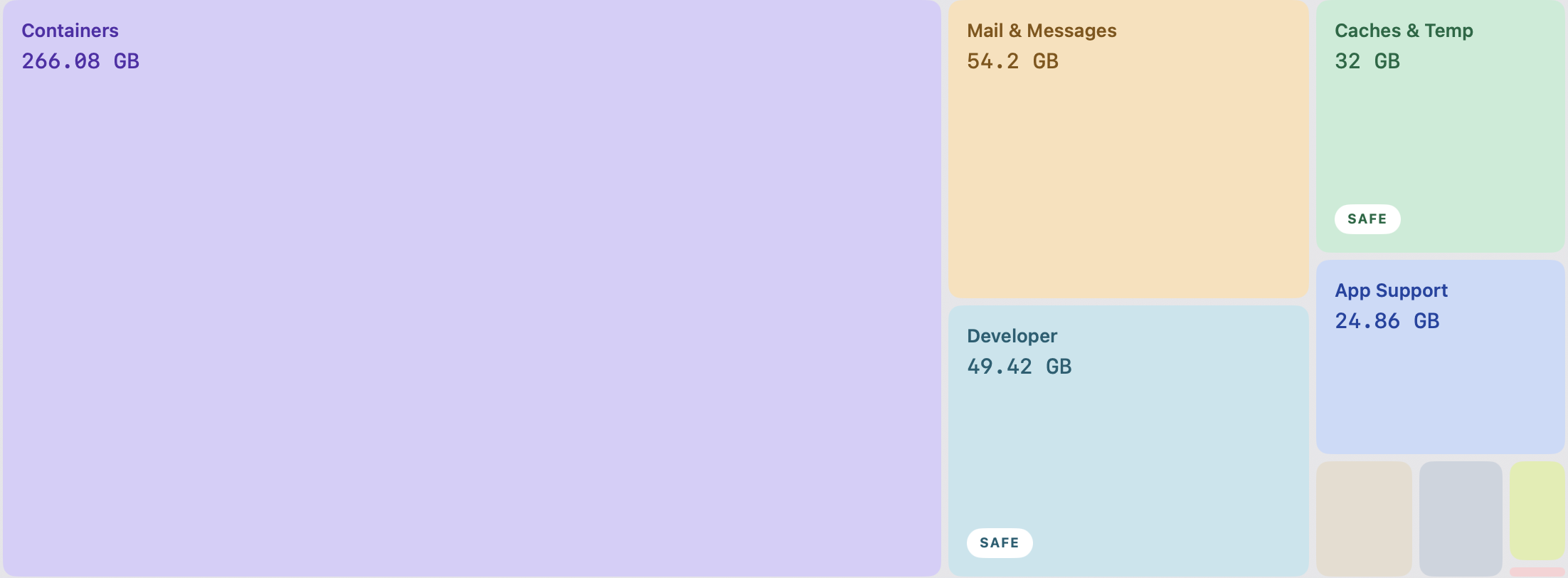
Measured, not guessed
A treemap where area is size, drawn from a real walk of the disk — not an estimate, and not the vague number in System Settings.
macOS puts hundreds of gigabytes under one label and won’t say what’s in it. MacVac opens it up, explains every folder in plain English, and only ever moves things to the Trash.
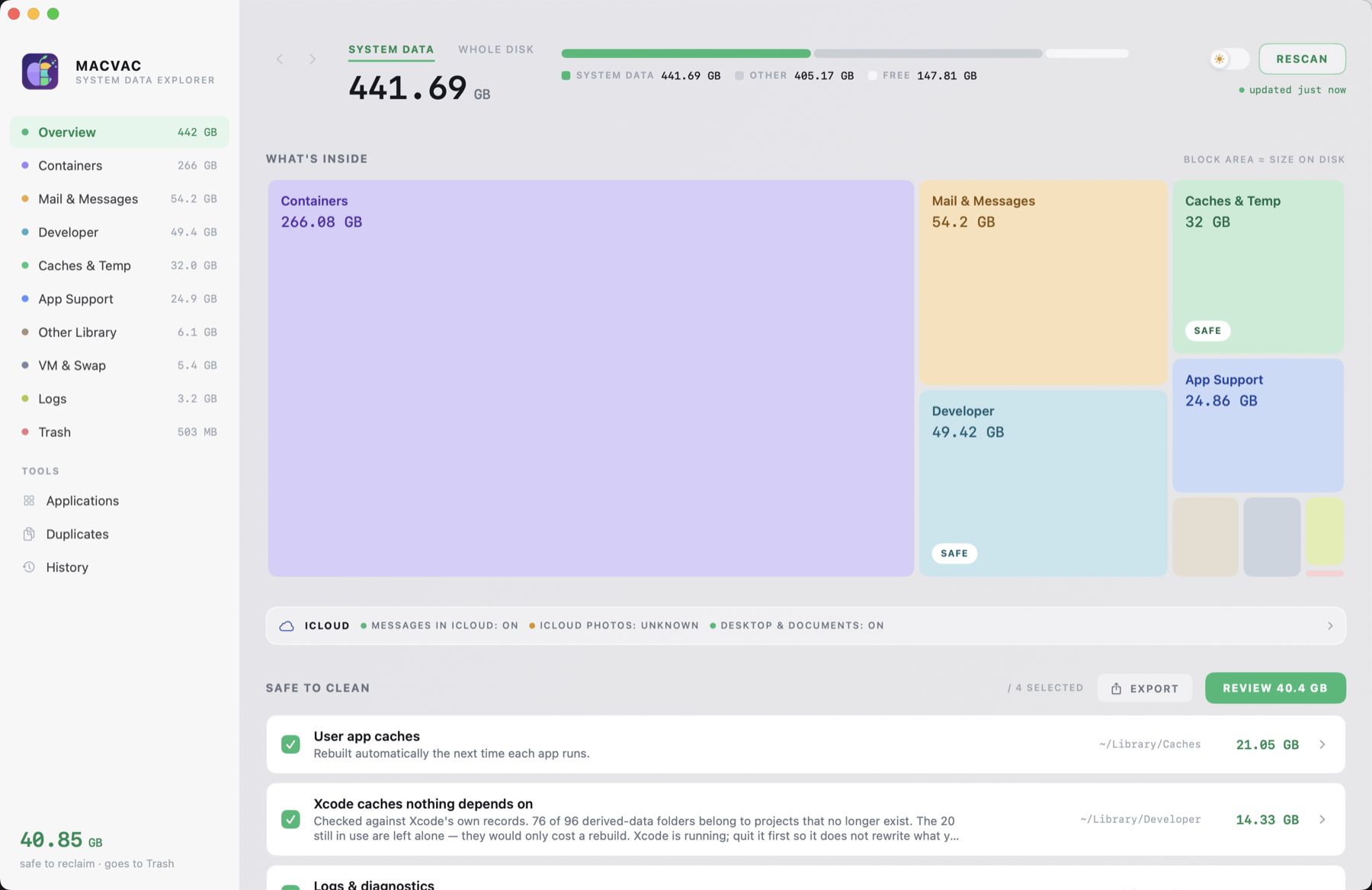
This is the bar in System Settings. MacVac measures what’s behind it as size on disk, in categories that never overlap — so the total actually adds up. Hover a category to see what MacVac says about it.
A real walk of the disk — every file counted as size on disk. System Data in about ten seconds; the whole drive in a few minutes, live as it goes.
Drill into anything. Each folder gets a plain-English note on what it is, what happens if it goes, and — often — why the honest answer is “leave it”.
Review a dry run of every path first. Then everything moves to the Trash, stays recoverable, and is written into History so you can put it back.
Most cleaners give you a bigger number and a Clean button. MacVac gives you the evidence.
A treemap where area is size, drawn from a real walk of the disk — not an estimate, and not the vague number in System Settings.

Every recommendation says what the folder is, what happens if it goes, and when the honest answer is “leave it alone”.
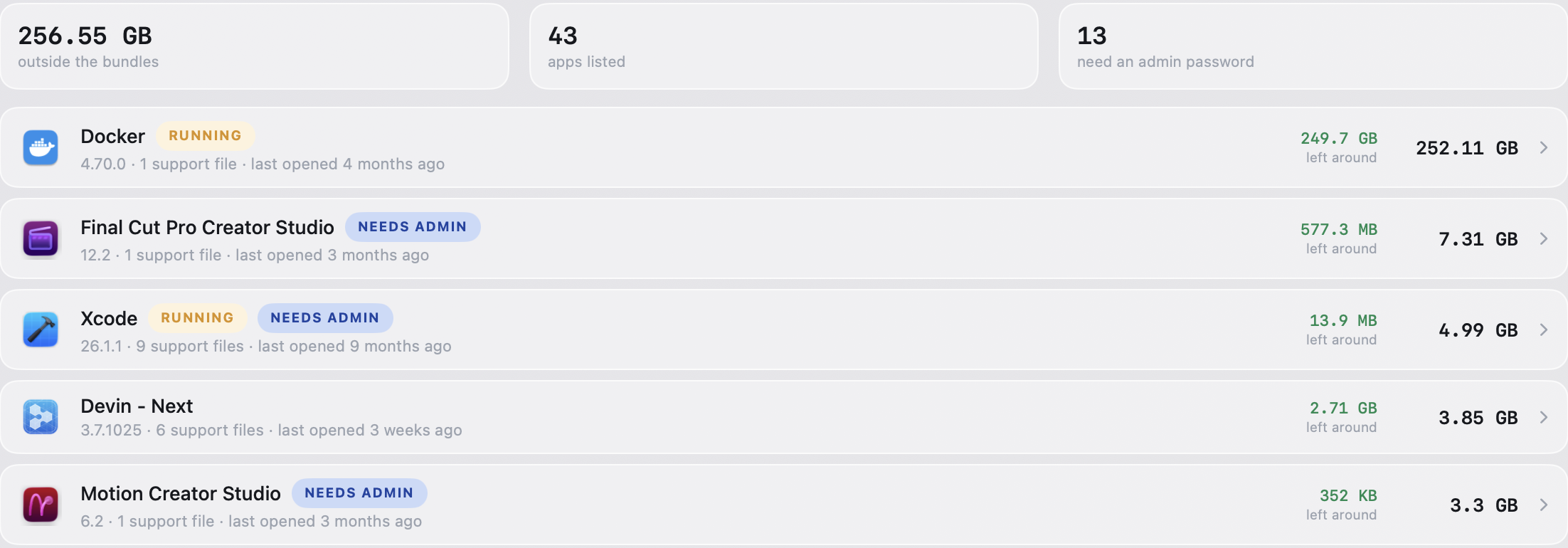
Xcode’s own records show which caches belong to projects you deleted. App files show the identifier that ties them to their app.
Dragging an app to the Trash leaves its caches, containers, preferences and login items exactly where they were. MacVac finds them — and for every file, shows why it believes it belongs to that app.
On today’s Macs a “copy” is usually a clone that shares its storage with the original. Both files report their full size, but the space is only counted once — so tools that add up sizes promise gigabytes that don’t exist.
MacVac asks the file system how much is genuinely unshared, and shows you both numbers.
| Three identical 10 MB files | Reported | Really frees |
|---|---|---|
| The original | 10 MB | — keep |
| A clone of it | 10 MB | 0 MB |
| A true copy | 10 MB | 10 MB |
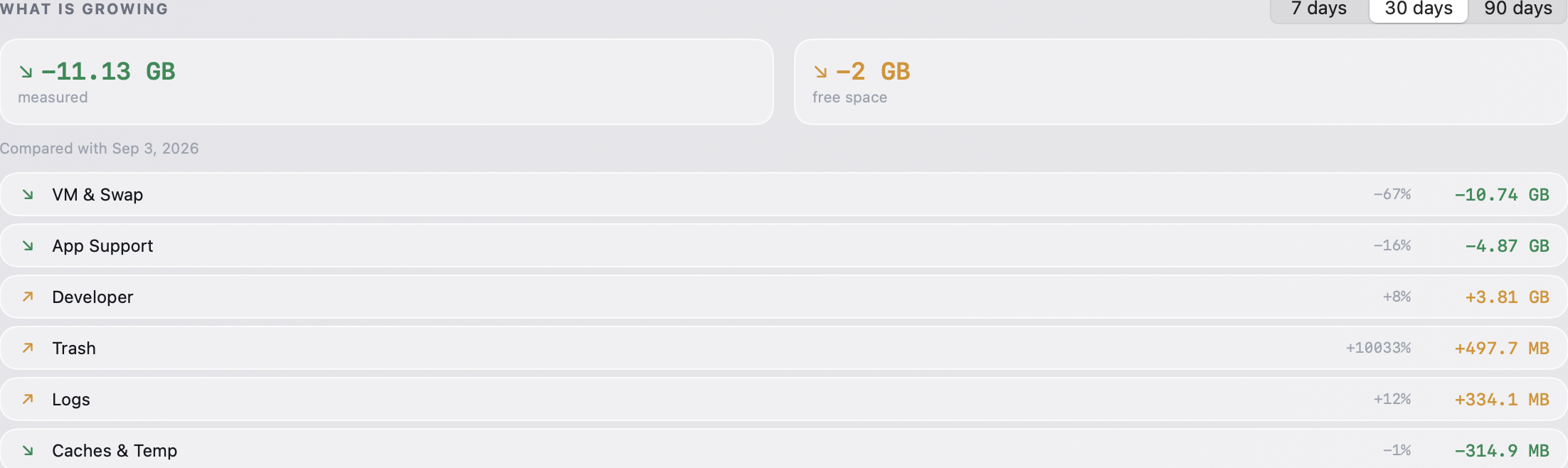
Every removal MacVac makes is written down with the exact paths and where in the Trash they went — so “put it back” is one click, not an afternoon in the Finder. Daily measurements show what’s growing, not just what’s big.
A storage cleaner asks for access to everything, then asks to be trusted. MacVac ships with a check that fails the build if any of these stops being true. They aren’t claims on a website — they’re properties of the code.
unlink and removeItem are banned from the codebase entirely.The check script ships with the app and runs on every build.
The free version isn’t a trial and has no limits. Understanding your disk, every explanation and unlimited manual cleaning stay free — permanently.
Everything you need to understand your Mac and clean it by hand.
For people who would rather it just happened. Try everything free for 7 days — no email, one click in the app.
Two things will never be paid features: knowing what a folder is, and the record of what MacVac did to your Mac.
~/Library from apps by default, and that is exactly where System Data lives. Without the permission MacVac still runs — the totals are just a lower bound, and it tells you so. You can withdraw it at any time in System Settings.macvac.app whether there’s a newer version. No identifier, no usage data, nothing about your Mac. If there is one you see what changed and click Install — or don’t. Every update comes only from macvac.app and is verified twice before it runs: Apple’s notarisation and MacVac’s own signing key. Turn it off in Settings and MacVac makes no network requests at all. There are no analytics and no account.
Signed and notarised by Apple. Opens with no warning — no right-click tricks.
Download MacVac 0.5.0macOS 14 or later · Apple silicon & Intel · about 3 MB